
A Sdn Bhd incorporated online through SSM's MyCoID system receives its Company (C) tax file automatically. The director still needs an activated personal MyTax account and an approved company role before MyInvois company-profile access works.
In this article, we discuss the Malaysia company TIN after incorporation in practical terms. We explain how the Company (C) tax file is created and how a director activates MyTax access. We also cover the Employer (E) file, MyTax and MyInvois roles, and first tax actions, including CP204.
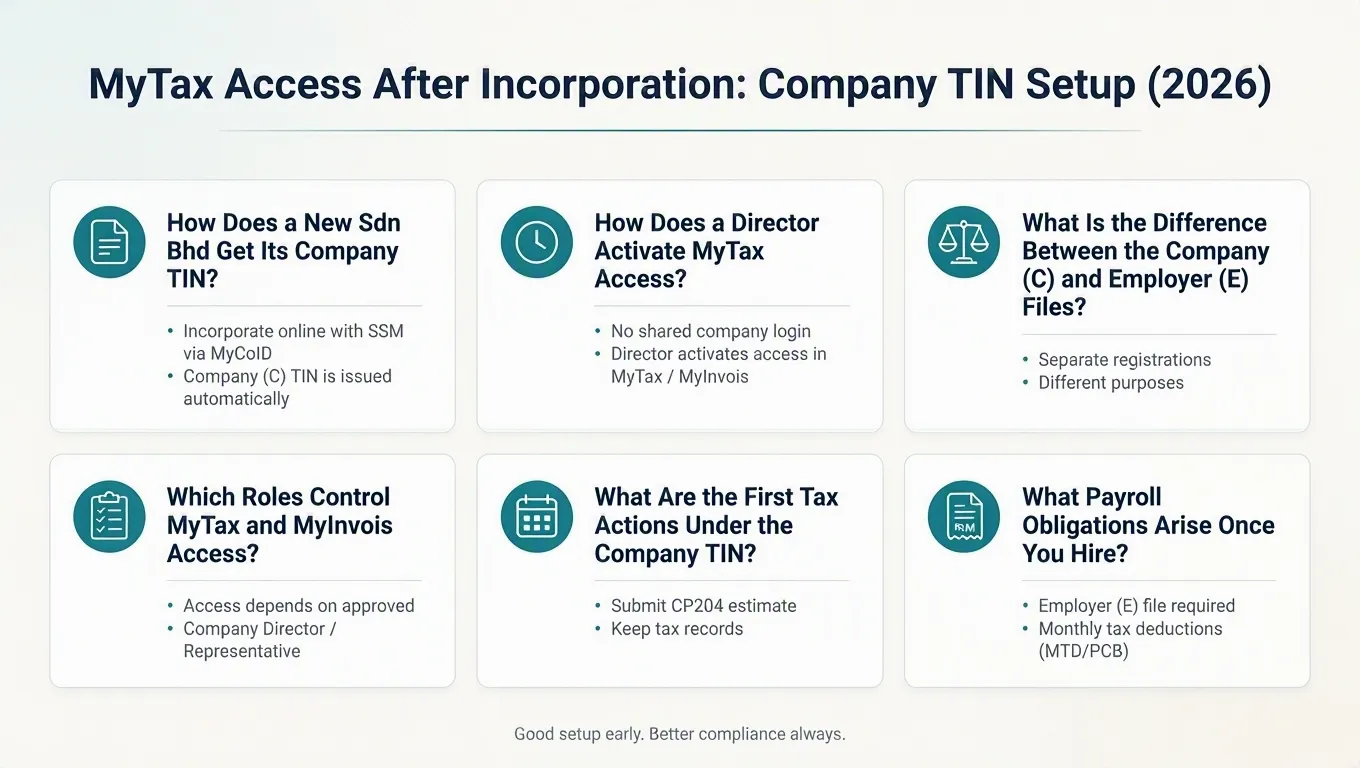
How Does a New Sdn Bhd Get Its Company TIN?
A local company incorporated online with SSM through MyCoID receives its Company (C) TIN automatically, but the number must be verified in HASiL's records before it is used on any form.
Under current HASiL guidance, a new local company incorporated online with SSM through MyCoID has its Company (C) tax file registered automatically. The Tax Identification Number (TIN) identifies the company for income-tax purposes and is the reference for estimates and the annual corporate return.
This automatic registration applies to online MyCoID incorporations. In practice, the number should still be confirmed against HASiL's own records before it is quoted anywhere. A company registration number and a TIN are distinct identifiers, and inferring one from the other is a common route to a mismatch later.
Where a tax-file registration application is needed, HASiL specifies particular SSM documents for a Sdn Bhd. The document set for a straightforward case is set out below.
1. Automatic registration through MyCoID
Online incorporation through MyCoID feeds the new company's particulars to HASiL, which then registers the Company (C) file. The director does not need to submit a separate application for the C file in this situation. The TIN itself should still be checked in the MyTax portal rather than assumed.
2. Verify the TIN before using it
Before the first CP204 or any correspondence, confirm the exact C TIN through HASiL's search or registration-status facilities. Duplicate or mismatched records are easier to fix before filings accumulate than after.
3. Documents HASiL specifies for the tax file
For Sdn Bhd registrations, HASiL lists the Section 15 registration notice, the Section 17 certificate of incorporation or relevant name-change notice, and a current SSM company profile. Supporting documents are not submitted with the return itself, but business records should be kept for seven years.
How Does a Director Activate MyTax Access?
The Company (C) TIN does not create a shared company login. For MyInvois company-profile access, the director needs an activated MyTax account and an approved, active Company Director / Organization Administrator role.
MyTax access begins with an individual's account; a Company (C) TIN does not create a shared company username. For the MyInvois company-profile path, HASiL requires an activated MyTax account plus an approved, active Company Director / Organization Administrator role. Foreign taxpayers can register for a TIN through e-Daftar e-KYC using the MyTax mobile application. Remote access depends on successful identity matching and the available HASiL verification route.
If the director role is unavailable in MyTax, first check whether the passport or MyKad number matches the SSM director record. Also confirm that the role application is approved and active. The checks below are sensible starting points. They are possible troubleshooting checks, not a claim about usual causes.
A separate point matters before the first payroll run. The Company (C) file and the Employer (E) file are distinct registrations. The C TIN does not by itself establish the employer file used for payroll obligations.
Step 1: Confirm the identity record matches SSM
Check that the identification type and number held by MyTax match the director particulars filed at SSM. Also check whether either system holds an old passport number after renewal.
Step 2: Activate the individual MyTax account
First-time access requires the director's own MyTax account. Keep identification details, nationality, date of birth, an active email address and mobile number current before starting.
Step 3: Recover an existing account before registering again
Where a personal account already exists, establish which identification type created it and which email HASiL holds, then request an update. Repeated new registrations against an existing record tend to create more recovery work.
Step 4: Switch to the company role
Once the role application is approved and active, the director can access the MyInvois company profile. Do not assume that the same role grants every MyTax function.
Company (C) vs Employer (E) Tax Files
| Aspect | Company (C) file | Employer (E) file |
|---|---|---|
| What it covers | Corporate income tax: CP204, CP207, e-C | Employer obligations: PCB, Form E, EA/EC statements |
| How it is created | Automatically for online MyCoID incorporations | Registered separately when the business or company has employees |
| Key risk | Assuming the TIN from the SSM registration number | Duplicate applications where an E reference already exists |
| First action | Verify the TIN in HASiL records | Confirm the existing E reference before applying |
What Is the Difference Between the Company (C) and Employer (E) Tax Files?
The Company (C) file and the Employer (E) file are separate registrations — a C TIN does not by itself establish the employer file used for payroll obligations.
HASiL treats C and E as distinct e-Daftar file types. HASiL states that a business or company with employees must register an Employer (E) tax file. Its company-registration guidance also states that, once a company file is registered, an Employer (E) file must be registered even if the company is dormant. A dormant company therefore cannot assume its obligations are covered by the C TIN alone.
Do not assume the E file is created automatically with the C TIN. Before applying, confirm whether an E reference already exists for the company, because a duplicate application can leave two records that later conflict. Payroll obligations only bite once the company actually has employees and payroll facts that trigger them.
When applying for an Employer (E) file, the practical document set extends the company file with the employer's correspondence address and payroll commencement date. It also includes first-employee commencement details where requested, plus the payroll contact and authorised person.
1. Two files, two obligations
The C file carries corporate income tax — CP204, CP207 instalments and the e-C return. The E file carries employer obligations — monthly deductions, the annual employer return and employee statements.
2. Registering the Employer (E) file
Where no E number has been issued, the application is made through MyTax or e-Daftar. A C TIN alone means payroll cannot be reported under that number.
3. Avoiding duplicate records
Check for an existing E reference before submitting a new application. Confusing the C and E references, or opening a second application for a file that already exists, is an avoidable complication.
Which Roles Control MyTax and MyInvois Access?
For MyInvois, company-profile access depends on an approved Company Director / Organization Administrator role. A tax agent is authorised separately through the CP55 process.
For MyInvois access under a company profile, HASiL's guidance is specific. An individual must have an activated MyTax account and an approved, active Company Director / Organization Administrator role before access is granted. That statement is limited to the MyInvois access path — it should not be read as a general rule about every MyTax module.
A Company Director / Organization Administrator can appoint and terminate Company Director / Organization Administrator Representatives for MyInvois through MyTax. The administrator grants only specified MyInvois permissions:
- document view
- submit
- cancel
- reject
- selected profile-management permissions
These permission labels are MyInvois-specific and should not be assumed to mirror MyTax, e-PCB Plus, e-Filing or payment permissions.
One handover control matters: when the current Company Director / Organization Administrator is removed or terminated in MyTax, representatives must be reappointed by the new authorised person. This is a MyInvois control — it does not prove that every MyTax or tax-agent appointment ends at the same moment.
A tax agent is not created as an internal organisation user. HASiL requires the taxpayer to complete Form CP55. That form authorises the agent to file prescribed forms electronically. The agent then acts through the tax-agent appointment for the appointed tax types and periods. As a working rule, revoking an internal user should not be assumed to end the agent's appointment, and ending the agent's appointment does not remove internal users.
1. The director's role
The director's personal MyTax login is the starting point. For MyInvois, an approved, active Company Director / Organization Administrator role provides company-profile access and can appoint representatives. Do not assume that the role grants every MyTax function.
2. The organisation administrator
For MyInvois, the Company Director / Organization Administrator appoints and terminates representatives through MyTax. Available representative permissions are MyInvois-specific, so they do not establish wider MyTax authority.
3. Finance and employee users
Give a finance employee only the access required for the assigned task. Do not assume that preparing or viewing a form includes the right to sign or submit it.
4. The tax agent link
The agent is connected through HASiL's tax-agent appointment process and the CP55 authorisation record, separate from the internal user list. Keeping these two channels distinct avoids confusion when access changes.
MyTax and MyInvois Roles at a Glance
| Role | What it covers | Key caution |
|---|---|---|
| Company Director / Organization Administrator | Principal company access; approves MyInvois access and appoints representatives | Removal requires MyInvois representatives to be reappointed |
| Company Director / Organization Administrator Representative | MyInvois document view, submit, cancel and reject, plus selected profile permissions | Permissions are MyInvois-specific, not a general MyTax grant |
| Organisation user (e.g., finance staff) | Internal access limited to assigned modules such as e-PCB Plus or payments | Module access does not automatically extend to MyInvois |
| Tax agent | Files prescribed forms under a CP55 authorisation and tax-agent appointment | Revoking an internal user does not end the agent's appointment |
What Are the First Tax Actions Under the Company TIN?
The first corporate tax action is generally the CP204 estimate — for a new operating company, due within three months of the commencement of operations.
According to HASiL's corporate tax guidance, the deadlines for a new company differ from those for an existing one. These timings are general rules: the commencement date, the length of the basis period and any statutory exception must be checked for the specific company before relying on them.
- CP204 (new company): within the first three months from the date operations commence.
- CP204 (existing company): at least 30 days before the basis period begins.
- CP207 instalments: begin in the sixth month of the basis period for a new company, payable by the 15th of each month.
- e-C return: within seven months after the accounting period closes, with any balance of tax due by the same date.
- CP204A: the estimate-amendment mechanism, which may be lodged in the sixth, ninth or eleventh month of the basis period.
- CP204B: used to notify a change of accounting period.
Companies not yet operating need not furnish CP204. Dormant companies must still submit the e-C return annually. There is no separate annual 'Form CH' in this framework — the annual return is e-C, and estimate changes run through CP204A.
Because records supporting the e-C must withstand later review, it is worth reading our companion piece on responding to an LHDN tax audit before the first filing cycle closes.
1. Diarise the CP204 trigger, not the incorporation date
The CP204 clock generally starts at commencement of operations, not at incorporation. Fixing the commencement date early determines every later corporate tax deadline.
2. Use CP204A when trading shifts
Where actual results diverge from the estimate, a CP204A revision in the permitted months is the correct mechanism — waiting for the e-C to reveal the gap is not.
3. Notify accounting-period changes through CP204B
A shortened or extended accounting period changes the basis period. The CP204B notification timing depends on the specific change, so check the company's facts rather than applying a general date.
First-Year Tax Deadlines for a New Company
| Obligation | Deadline | Authority |
|---|---|---|
| CP204 (new operating company) | Within three months of commencement of operations | HASiL |
| CP204 (existing company) | At least 30 days before the basis period begins | HASiL |
| CP207 instalments | From the sixth month of the basis period, by the 15th monthly | HASiL |
| e-C return and balance of tax | Within seven months after the accounting period ends | HASiL |
| CP204A estimate revision | Sixth, ninth or eleventh month of the basis period | HASiL |
| PCB remittance | 15th of the following month | HASiL |
| Form E | 31 March of the following year; CP8D unless e-Data Praisi was submitted | HASiL |
| EA / EC statements to recipients | Last day of February | HASiL |
What Payroll Obligations Arise Once You Hire?
Once the company has employees, the Employer (E) file drives three recurring obligations:
- monthly deductions by the 15th
- employee statements by the end of February
- Form E by 31 March
HASiL's employer guidance sets out the core deadlines. Monthly tax deduction (PCB) remittances are due by the 15th of the following month. Form E must reach HASiL by 31 March of the following year through e-Filing. CP8D is required unless the employer has submitted remuneration information through e-Data Praisi. Employee statements must be issued by the last day of February. Form EA applies to private-sector employees and Form EC to public-sector employees.
Employee notifications such as CP22 apply according to HASiL's stated conditions and timing, so treat them as "where applicable" rather than universal. The practical point for a new company is simple: payroll obligations attach to payroll facts, and the E file must be in place before the first employee is paid.
1. Monthly deductions
PCB amounts are remitted by the 15th of the following month. A missing or duplicated E reference can prevent the first remittance.
2. Annual employer return
Form E is e-Filed by 31 March, with CP8D unless remuneration information has been submitted through e-Data Praisi. The data should reconcile with the EA and EC statements already issued to employees.
3. Employee statements
EA and EC statements are due to recipients by the last day of February. That is ahead of the Form E deadline, so payroll records need to close promptly after the year end.
When Must a New Company Start E-Invoicing Under MyInvois?
The e-Invoice start date cannot be inferred from the incorporation date alone — it depends on the current implementation and exemption rules, including the company's commencement and turnover facts.
The current e-Invoice rules apply the RM3 million threshold together with HASiL's exemption criteria. A taxpayer below RM3 million is exempt only when it also meets those criteria. Corporate shareholders, holding-company status, related companies and joint ventures can affect eligibility.
For a business commencing from YA 2026 onward, first determine whether it meets the exemption criteria. If it does not, e-Invoice starts on 1 July 2026 or the operation commencement date, whichever is later. If it does, and first-YA turnover or revenue is below RM3 million, the taxpayer is exempt. If turnover or revenue reaches RM3 million in a later YA, its implementation date changes. It starts on 1 January in the second year after that YA.
HASiL updated the timeline on 30 August 2026. Recheck HASiL's e-Invoice pages before filing. Eligibility and the implementation date depend on the company's own facts. MyInvois access follows the role structure described above. It requires an activated MyTax account and an approved, active Company Director / Organization Administrator role.
1. Check the threshold against your group structure
The RM3 million exemption tests related-party and group turnover conditions, not just the new company's own sales. A small subsidiary can still be caught.
2. Fix the start date from commencement and turnover facts
The implementation date follows the YA rules and the company's own turnover trajectory, so it should be set out in the company's compliance calendar once the facts are known.
3. Prepare access before the first e-Invoice
Confirm the MyTax account, the approved director or administrator role, and any representative permissions before the e-Invoice go-live date, not on it.
Possible Checks When MyTax Access Stalls
| Symptom | Check first |
|---|---|
| Director role not visible | Confirm the identification number in MyTax matches the SSM director record |
| Registration repeatedly rejected | Check whether a personal account already exists before registering again |
| Non-resident verification delayed | Confirm which passport number HASiL and SSM each hold, old or renewed |
| Payroll filing blocked | Confirm the company's E reference exists and is not duplicated |
| Wrong number quoted on filings | Verify the C TIN directly in HASiL records |
Which Access Controls Should You Put in Place?
A practical checklist is to keep a named-user register, appoint a backup administrator, apply least-privilege access, document offboarding, and never share passwords or one-time passwords.
The following controls are a recommended template drawn from professional practice. They are sensible operating discipline, not a HASiL-mandated register. Treat them as a starting checklist and adjust to the company's own structure.
- Maintain a register of named portal users, their roles and the date each was granted or removed.
- Appoint one organisation administrator plus a backup, so a single departure does not lock the company out.
- Grant finance and payroll staff only the modules their duties require.
- Document offboarding so departing employees lose access on their last day.
- Never share passwords or one-time passwords between users, including with a tax agent or service provider.
- Review the register whenever directors change, since SSM notifications and MyTax role synchronisation travel on different timelines.
Director changes must reach SSM within 14 days under the Companies Act 2016. Review the MyTax and MyInvois consequences at the same time. This includes reappointing MyInvois representatives when a Company Director / Organization Administrator is removed. A practical step is to verify roles before the next filing deadline.
1. Verify before every deadline
A practical habit is to verify the company TIN and confirm each user's access. Assign only necessary roles and test the relevant portal shortly before a filing or payroll deadline. Do this early enough to fix problems without rushing.
2. Keep the register current
Access records age quickly. Tie register reviews to director changes, staff departures and the annual compliance calendar.
Conclusion
The Malaysia company TIN after incorporation arrives quickly. Usable MyTax access depends on links the TIN does not create:
- an activated individual account
- a synchronised director role
- a separately registered Employer (E) file
- correctly scoped MyTax and MyInvois permissions
Getting each link right early keeps CP204, payroll and e-invoicing deadlines manageable rather than urgent.
3E Accounting Malaysia helps startups, SMEs and multinational companies incorporate, register tax files, activate portal access and build a compliance calendar that fits the company's own commencement and turnover facts. As a Corporate Services Provider backed by the 3E Accounting International Network across more than 110 countries, we combine professional expertise with technology-enabled processes so clients can grow with confidence.
Contact us to discuss your company's MyTax setup, employer registration or first-year tax calendar, and we will help you put the right access structure in place from day one.
Get Your Company's MyTax Access and Tax Calendar Sorted
Speak with our team about TIN verification, MyTax roles, Employer (E) file registration and your first CP204 deadline — before the calendar tightens.
Frequently Asked Questions
Yes — for local companies incorporated online with SSM through MyCoID, HASiL registers the Company (C) tax file automatically. Verify the actual TIN in MyTax or HASiL records rather than inferring it from the SSM registration number.
No. The Company (C) file and the Employer (E) file are separate registrations. HASiL requires an Employer (E) file to be registered even if the company is dormant. Confirm the company's existing E reference before applying to avoid duplicates.
Foreign taxpayers can use e-Daftar e-KYC in the MyTax mobile application to register for a TIN. Availability depends on successful identity matching and HASiL's available verification route. It should not be assumed to work in every case.
Generally within the first three months from the commencement of operations. CP207 instalments start in the sixth month of the basis period. Companies not yet operating need not furnish CP204, but dormant companies must still file the e-C return annually.
An individual needs an activated MyTax account and an approved, active Company Director / Organization Administrator role. That person can then appoint Company Director / Organization Administrator Representatives. The representatives receive specified MyInvois permissions for document view, submit, cancel and reject actions.

Abigail Yu
Director
Abigail Yu oversees executive leadership at 3E Accounting Group, leading operations, IT solutions, public relations, and digital marketing to drive business success. She holds an honors degree in Communication and New Media from the National University of Singapore and is highly skilled in crisis management, financial communication, and corporate communications.